Home / Docs Center / Device User Guides / Ultra-low LatencyDecoderConfiguration Guide
Ultra-low LatencyDecoderConfiguration Guide
Project: Device User Guide | page_id: 154
Ultra-low Latency Decoder Configuration Guide
Step 1: search for the decoder IP (Device Search Assistant). The default is 192.168.0.15.
Step 2: access the decoder IP. Note that you need to use Google Chrome. Visit 192.168.0.15 in the browser.
Step 3: log in to the decoder. Both username and password are admin.
Step 4: click Channel Settings.
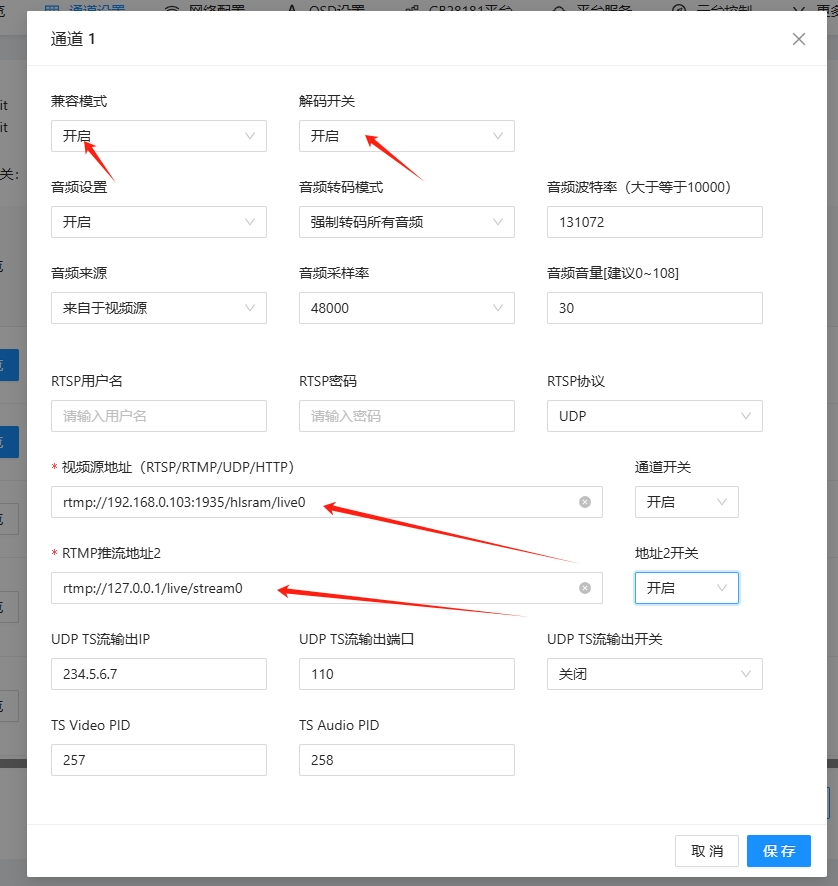
Fill in the video source address and select enable. Pay attention to the configuration marked by the red arrow.
Step 5: click System Configuration - Decoding Settings.
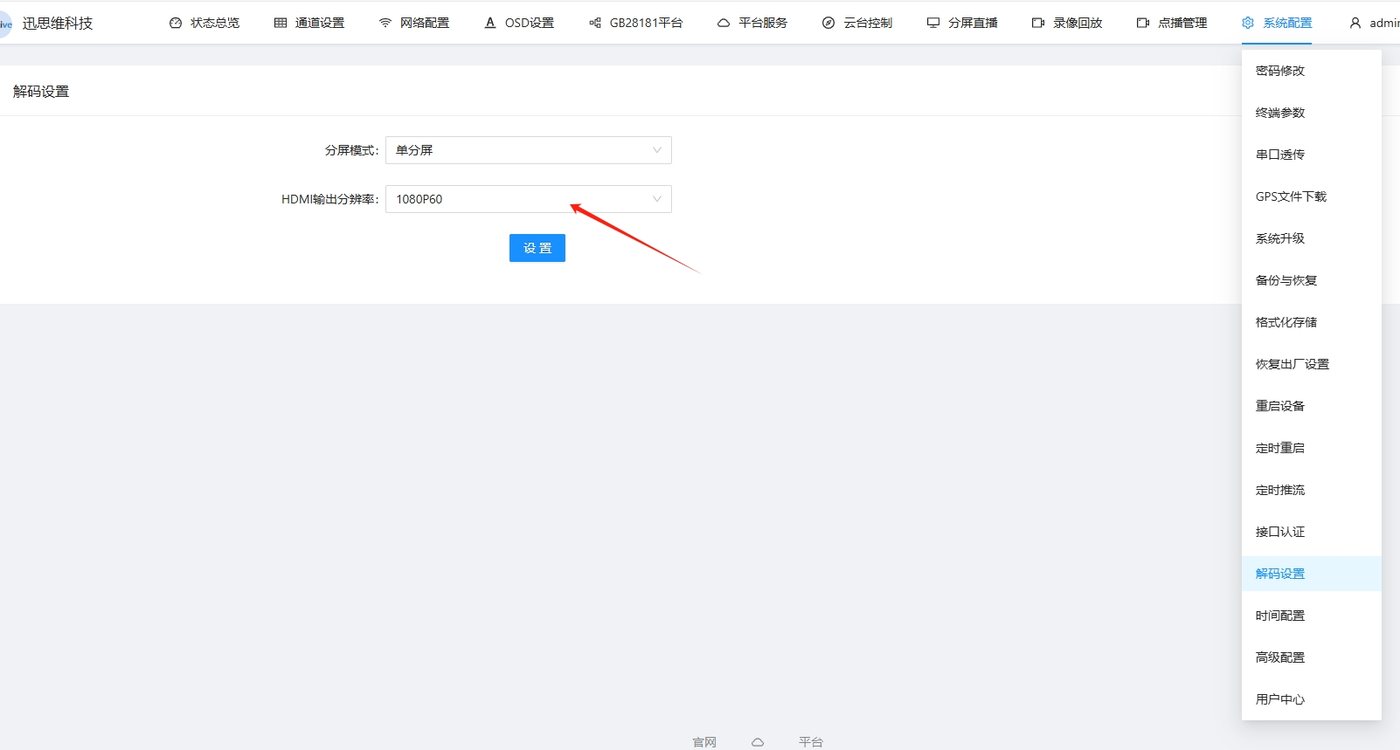
You can set the split-screen mode and resolution.
Note that the video output by the decoder is 1080p@60fps.
Didn't find what you need?Contact us,Talk to our engineers directly.