HI3516CV610+SC500ai Development Board
Project: Development Board Shipping Materials | page_id: 1704
3516CV610 IPC Development Board Materials
Material download:
File shared via network disk: hi3516cv610_ipc development material package.7z
Link: https://pan.baidu.com/s/1pGXiBAq3ph2JyTnYIIbvzA?pwd=1122 Extraction code: 1122
Environment Setup and Operation Guide
Flashing U-Boot, Kernel and File System
- Open the ToolPlatform folder and find ToolPlatform.exe.
- Double-click to open ToolPlatform.exe.
-
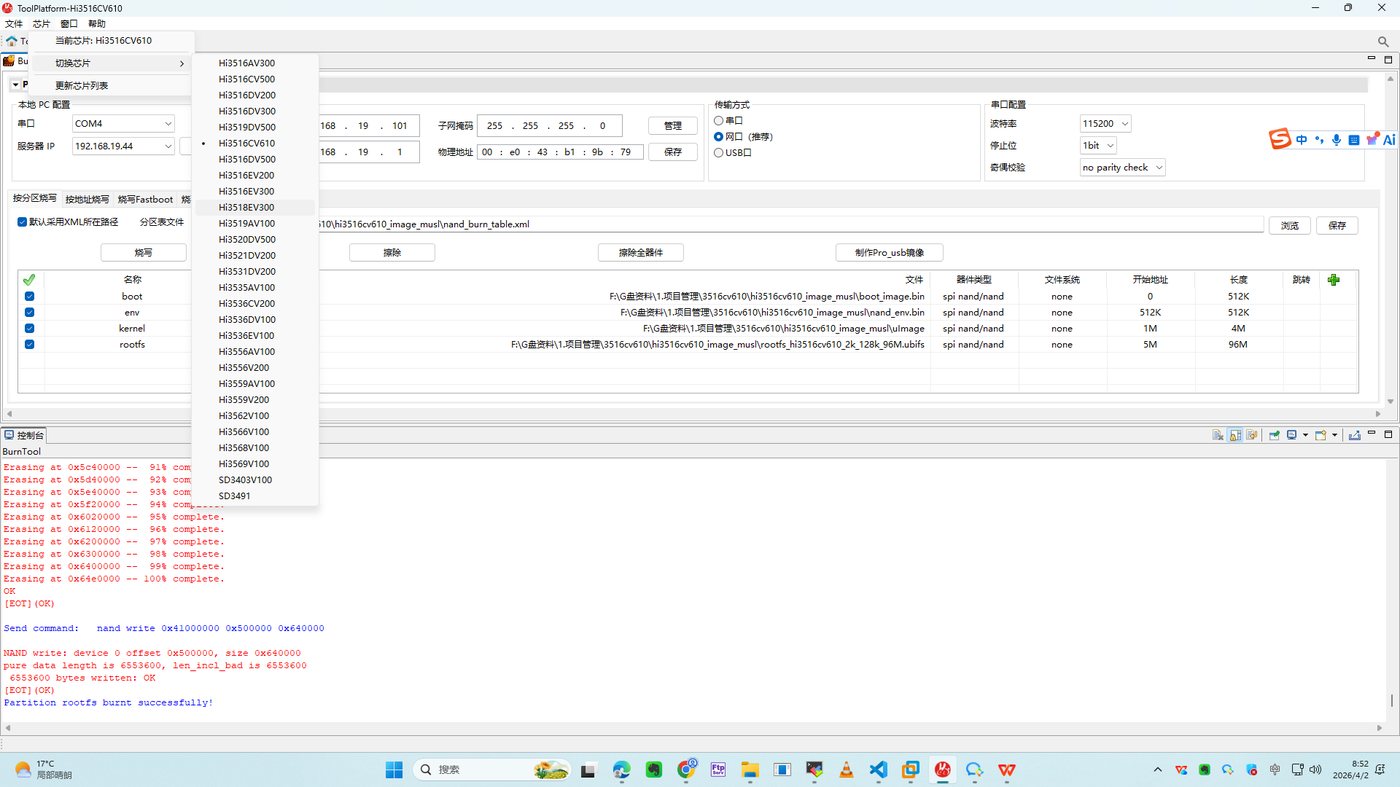
Select the chip type: Chip -> Select Chip -> Hi3516CV610.
-
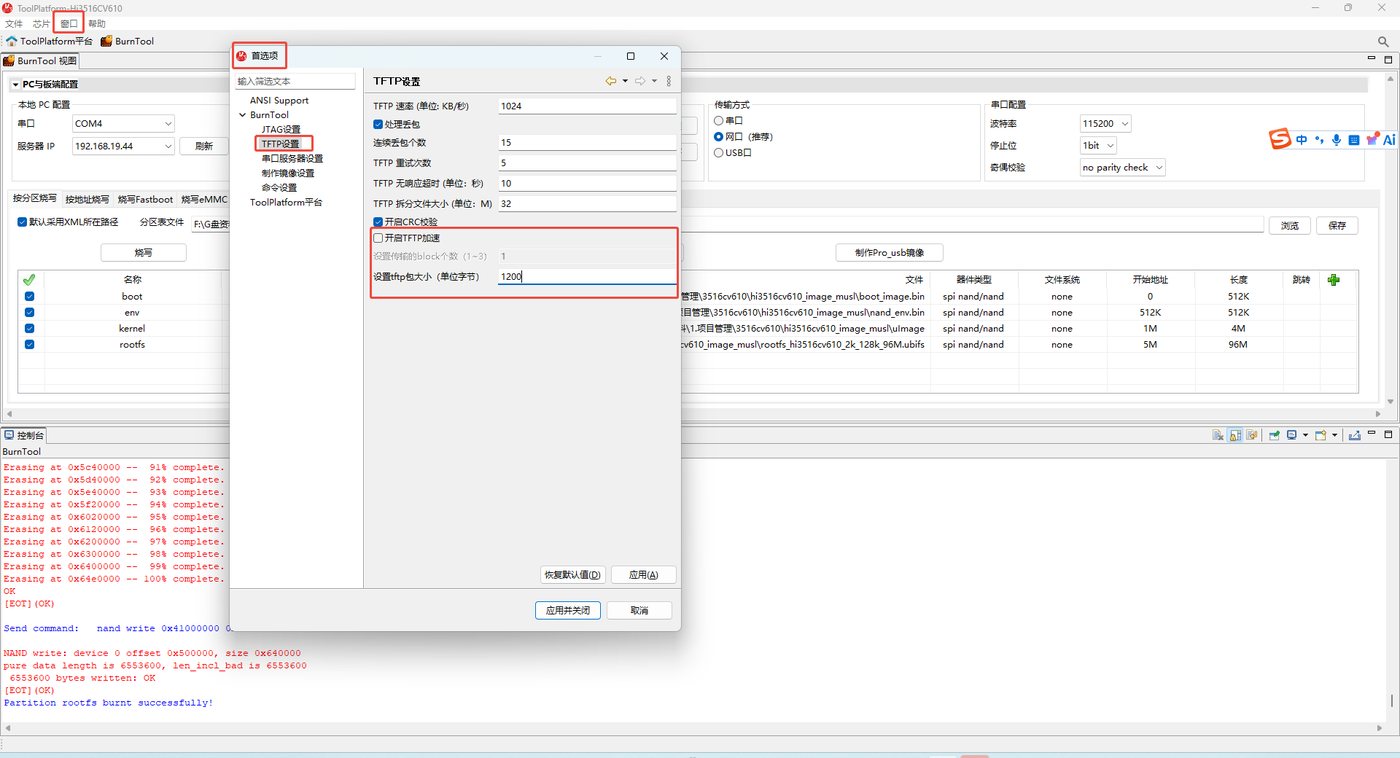
Set the TFTP package size to 1200: Window -> Preferences -> BurnTool -> TFTP Settings.
-
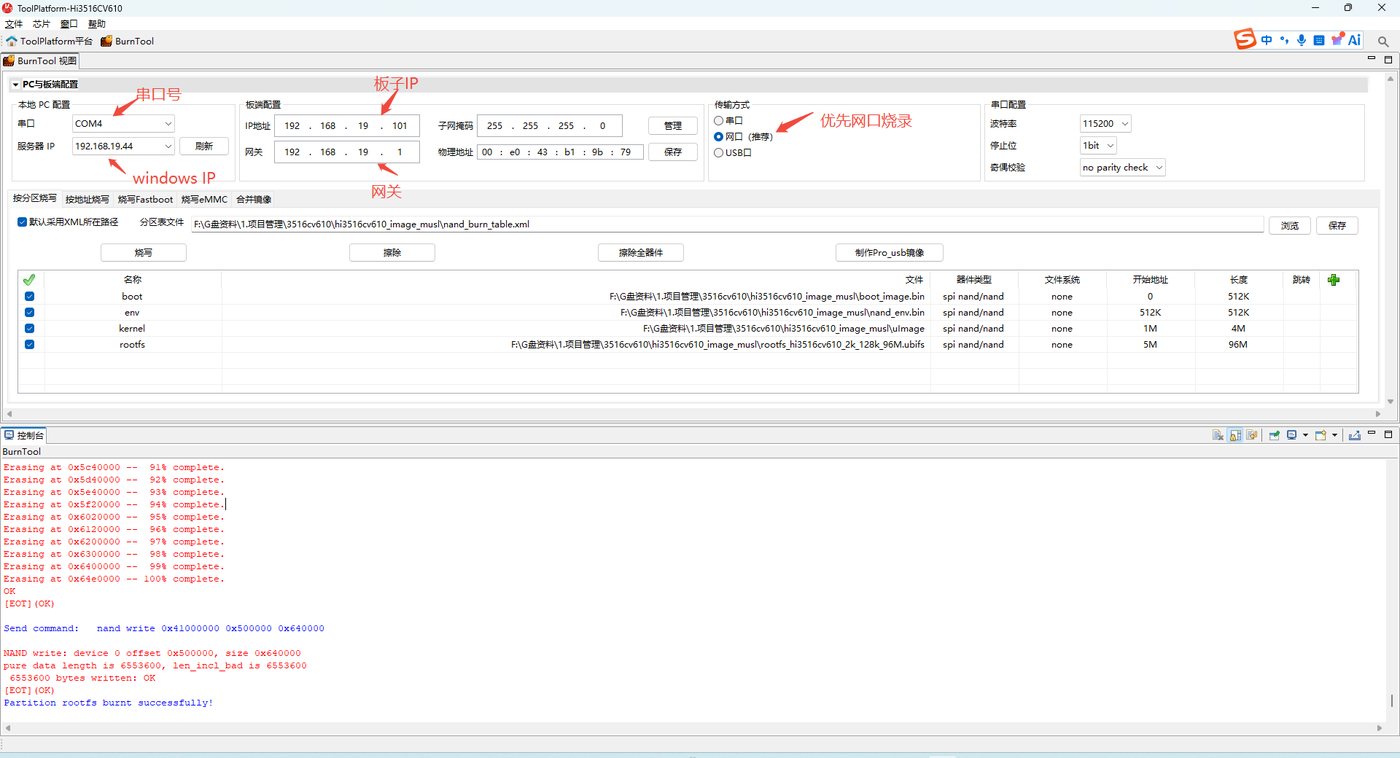
Complete the PC and board-side configuration.
-
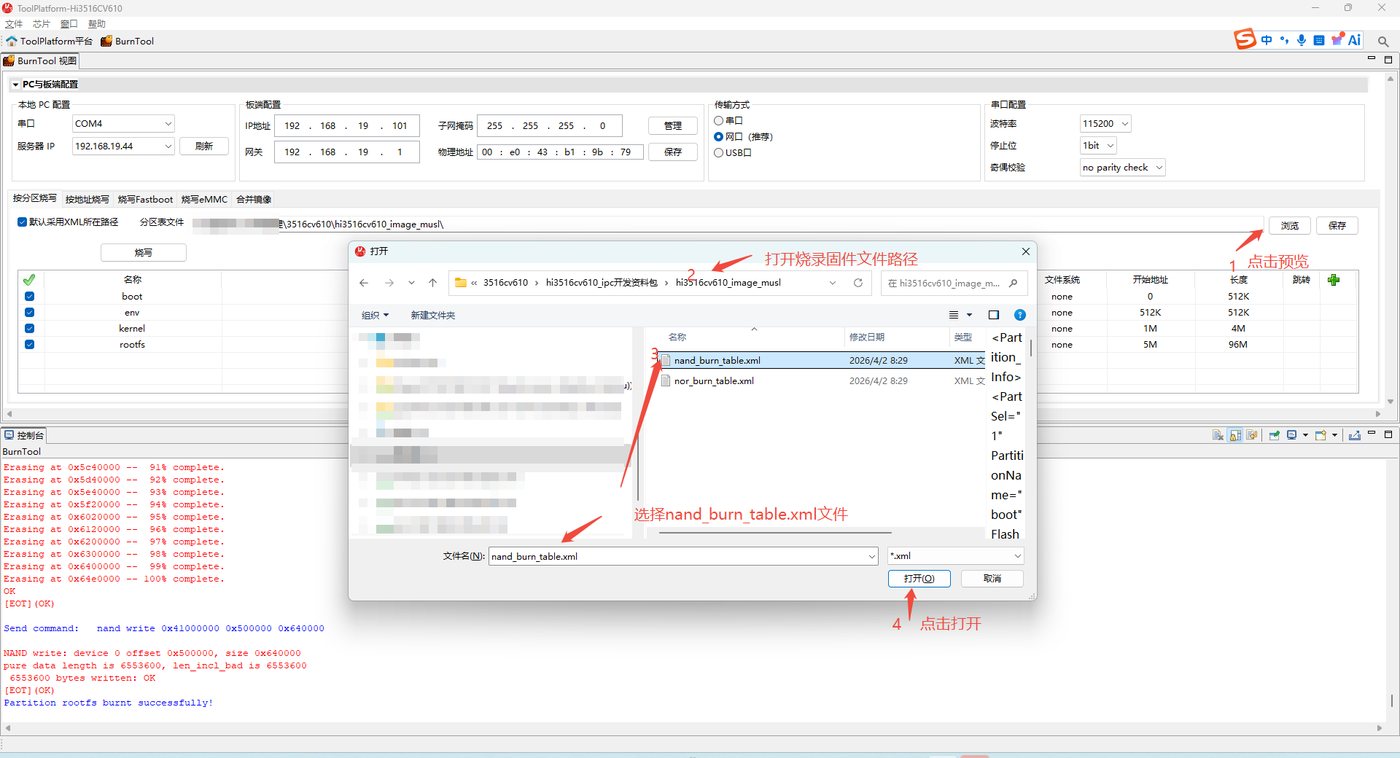
Select the burning files.
-
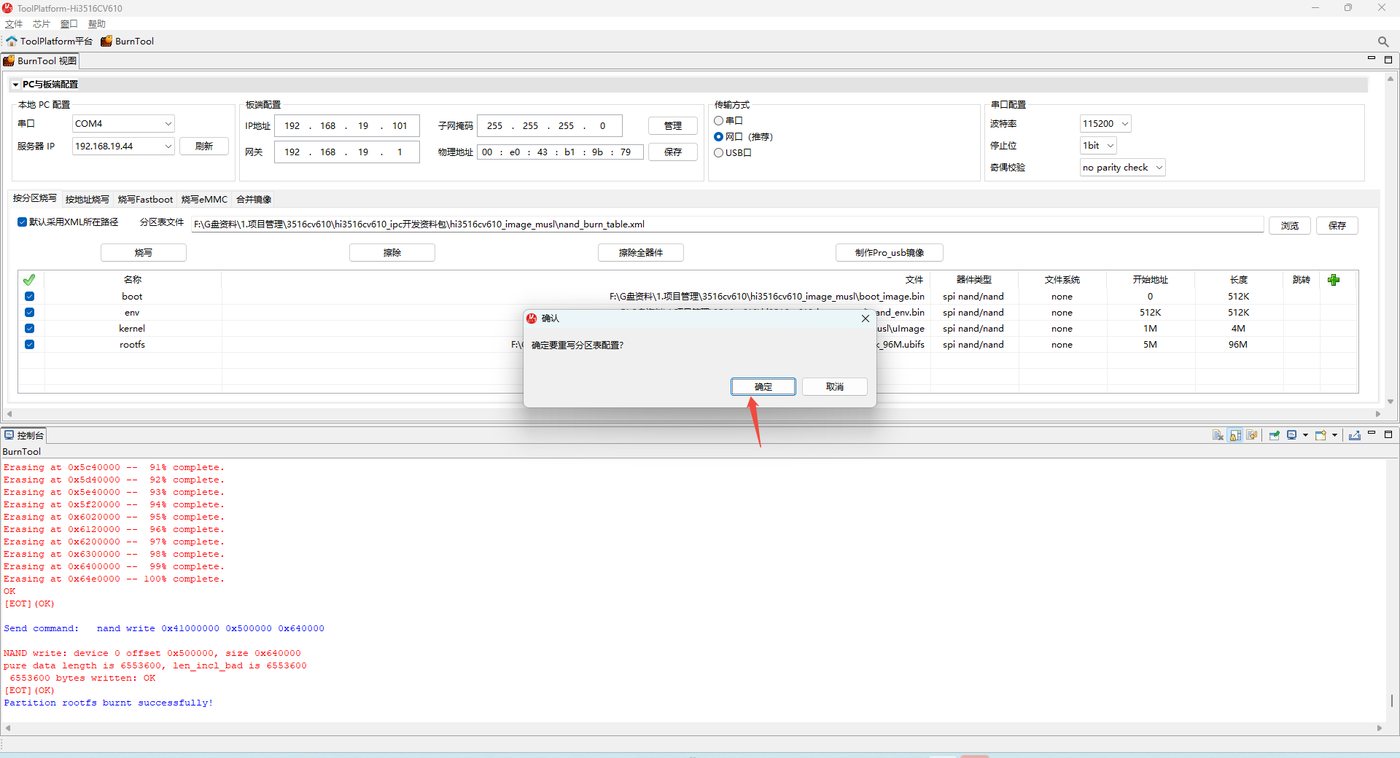
Click OK to rewrite the partition table.
-
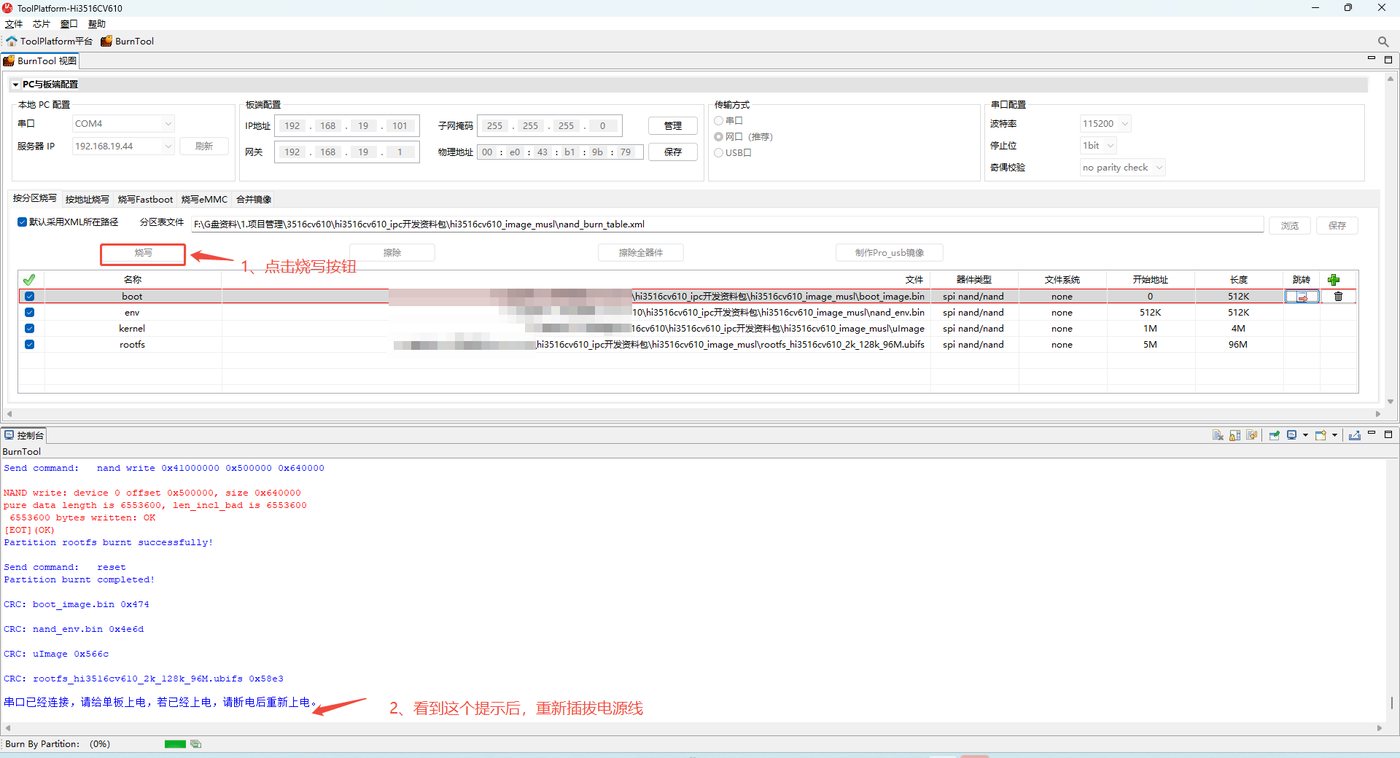
Click Burn.
-
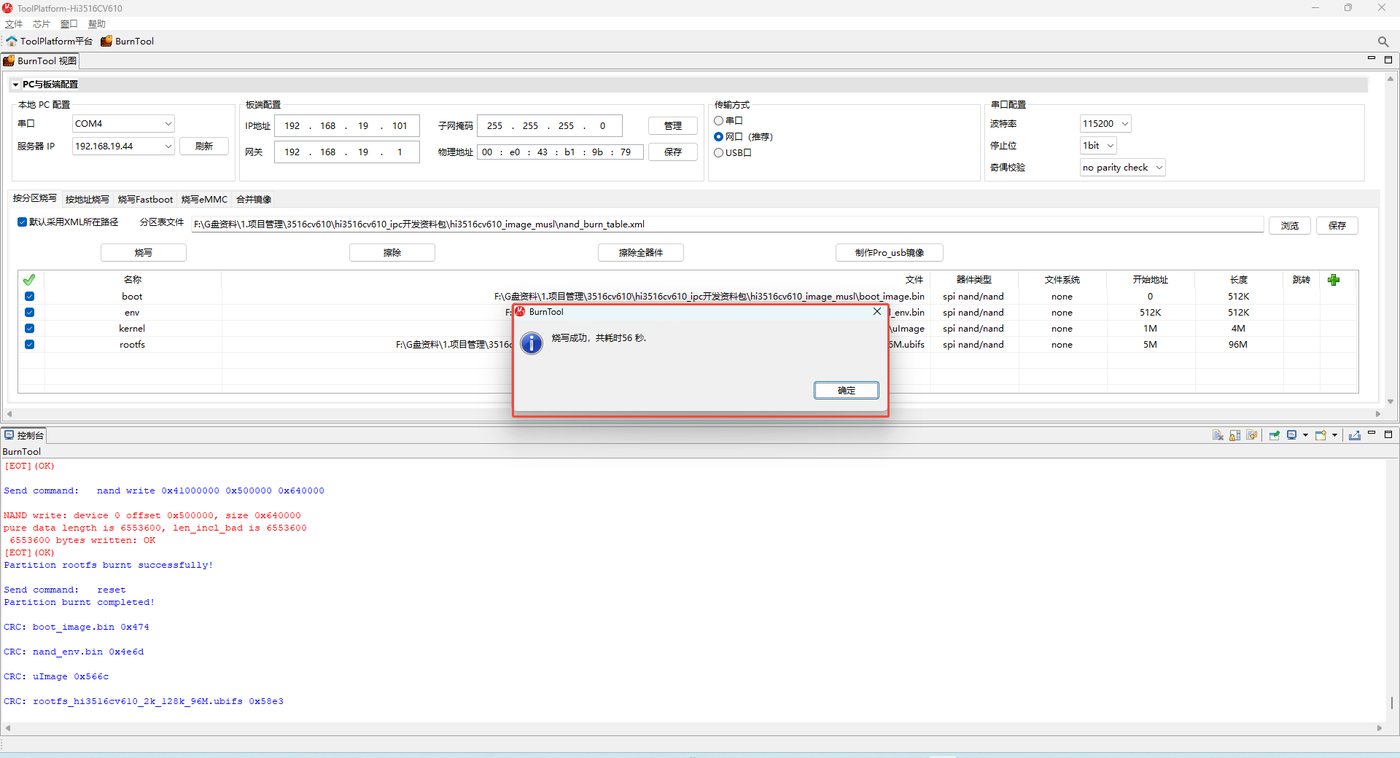
Wait for the burning to complete. When the following figure appears, the burning is successful. Click OK to complete the burning.
Running the HiSilicon VIE Sample
Load the driver (can be ignored if it is already loaded):
cd /usr/ext/load3516cv610 && ./load3516cv610_20s -i -sensor0 sc500ai -sensor1 sc500ai -mmz_start 0x44000000 -mmz_size 64M
Enter the sample directory and run:
cd /usr/samples/
./sample_vie 0
Then select 0 to start recording.
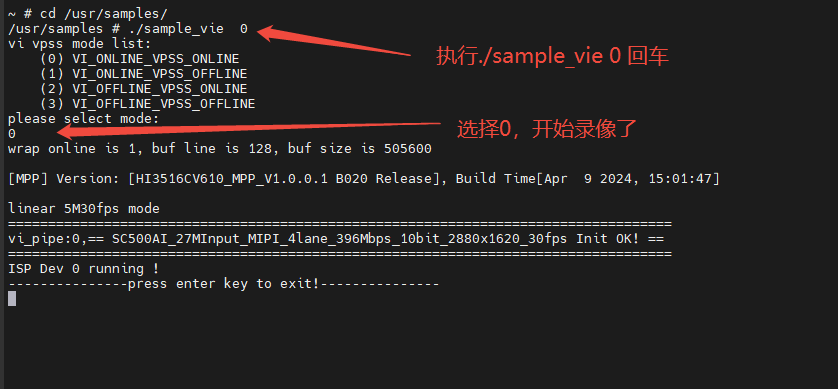
View the video files. After pressing Enter to end the recording, two channels of video files will be generated in the /usr/samples directory:
ls -ial stream_chn*
561 -rw------- 1 root 0 75169792 Jan 1 00:05 stream_chn0.h265
562 -rw------- 1 root 0 5479960 Jan 1 00:05 stream_chn1.h265
Material Download Path
- Virtual machine package: Ubuntu 64-bit hi3516cv610.zip, account xstrive, password 123456
- Compilation instructions:
cd /home/xstrive/code/SMP_Linux_GCC_musl/01.software/board/Hi3516CV610_SDK_V1.0.0.1/smp/a7_linux/source/bsp

# Overall compilation
make all
If you need to compile separately:
make boot
make gslboot_build
make kernel
make rootfs_build
make uboot_env
Description:
- make boot: compile U-Boot
- make gslboot_build: compile uboot_image.bin; this command includes the U-Boot compilation
- make kernel: compile the kernel
- make rootfs_build: compile rootfs
- make uboot_env: if mem is adjusted, for example 512K (boot), 512K (env), 4M (kernel), 96M (rootfs), etc., this command needs to be executed
Compiling the HiSilicon VENC Sample
cd /home/xstrive/code/SMP_Linux_GCC_musl/01.software/board/Hi3516CV610_SDK_V1.0.0.1/smp/a7_linux/source/mpp/sample/venc/
make clean
make SENSOR0_TYPE=SC500AI_MIPI_5M_30FPS_10BIT SENSOR1_TYPE=SC500AI_MIPI_5M_30FPS_10BIT
Run the sample to verify the pipeline:
./sample_venc 0
Shortest encoding verification: select the corresponding mode according to the program prompts.
Compiling the HiSilicon VIE Sample
cd /home/xstrive/code/SMP_Linux_GCC_musl/01.software/board/Hi3516CV610_SDK_V1.0.0.1/smp/a7_linux/source/mpp/sample/vie/
make clean
make SENSOR0_TYPE=SC500AI_MIPI_5M_30FPS_10BIT SENSOR1_TYPE=SC500AI_MIPI_5M_30FPS_10BIT
Complete VI -> VPSS -> VENC pipeline verification:
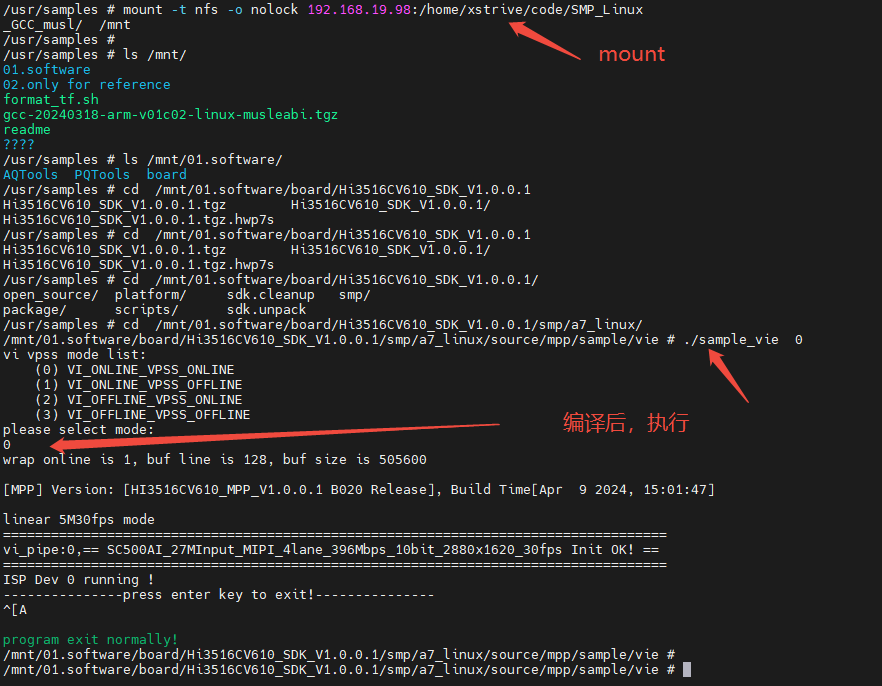
./sample_vie 0
Select 0 and press Enter.
You can also compile it yourself and run it through mount. Assuming the device IP is 192.168.19.98, execute the following command to mount:
mount -t nfs -o nolock 192.168.19.98:/home/xstrive/code/SMP_Linux_GCC_musl/ /mnt