Home / Docs Center / Board Shipping Resources / 3519AV100 wifiDocs
3519AV100 wifiDocs
Project: Development Board Shipping Materials | page_id: 1191
Enabling USB2.0 on 3519AV100
Original link: https://blog.csdn.net/cc88ke/article/details/97137429
In the 3519AV100 010 SDK, support for the USB2.0 interface is not enabled by default.
The specific operations are as follows:
1. Execute make ARCH=arm CROSS_COMPILE=arm-himix200-linux- menuconfig in the linux-4.9.y-smp directory
2. Enable USB2.0 support: Device Drivers > USB support > <> EHCI HCD (USB 2.0) support and <> OHCI HCD (USB 1.1) support
3. Modify arch/arm/boot/dts/hi3519av100.dtsi as shown below
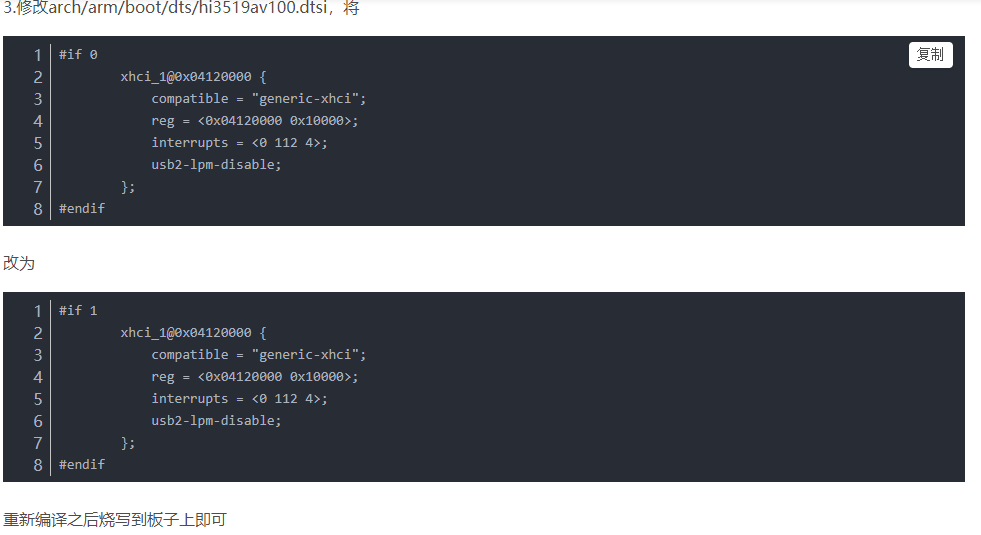
There are two xhci_1 entries in the device tree above. One is already #if 1; just set the other one to 1 as well.
Didn't find what you need?Contact us,Talk to our engineers directly.