4KLicense Plate RecognitionModuleManual
Project: Device User Guide | page_id: 1023
[TOC]
This manual applies to our license plate recognition module and license plate recognition camera devices.
1、Product Introduction
This device is a license plate recognition system developed and produced by our company. Its goal is to be a simple, efficient and accurate license plate recognition engine. Product forms include: license plate recognition module, license plate recognition device head, etc.
Without 4G, as shown in Figure 1 below:
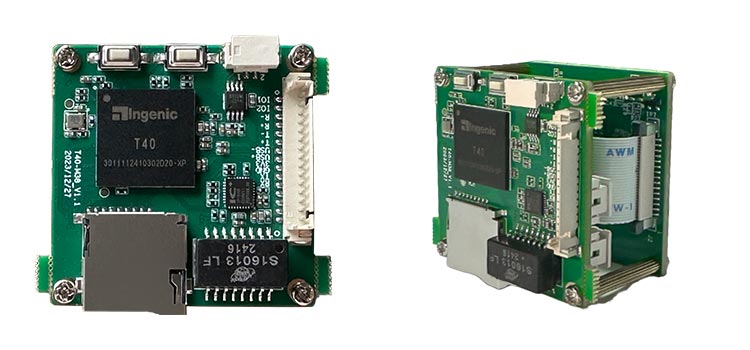
Figure 1
With 4G, as shown in Figure 2 below:
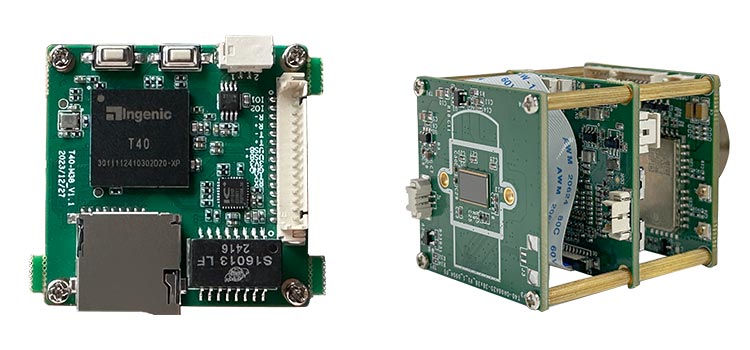
Figure 2
2、Product Features
Compared with other license plate recognition systems, our license plate recognition system has the following features:
A:Detection and recognition time: 45ms (default input resolution: 3840x2160 (the resolution 2560x1440 can also be used))
B:Vehicle license plate detection: recall rate: 93%, accuracy: 95%
C:High accuracy: vehicle type recognition accuracy: >91%
License plate color accuracy: >95%
License plate recognition rate: >99%
License plate color accuracy: >99%
D:Recognition and detection result output: serial port/network output by default; for other output methods (http, mqtt, etc.) please contact our sales team
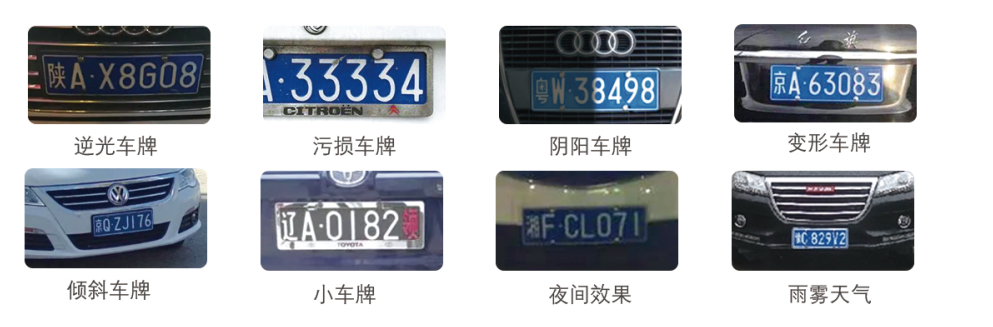
E:Applicable to recognition in various complex environments
3、Applicable Scenarios
①Parking management ②Community vehicle comprehensive management ③Urban road monitoring ④Smart park vehicle management ⑤Automobile 4S store management ⑥Mobile handheld detection equipment ⑦Police system ⑧Highway management

4、License Plate Recognition Types
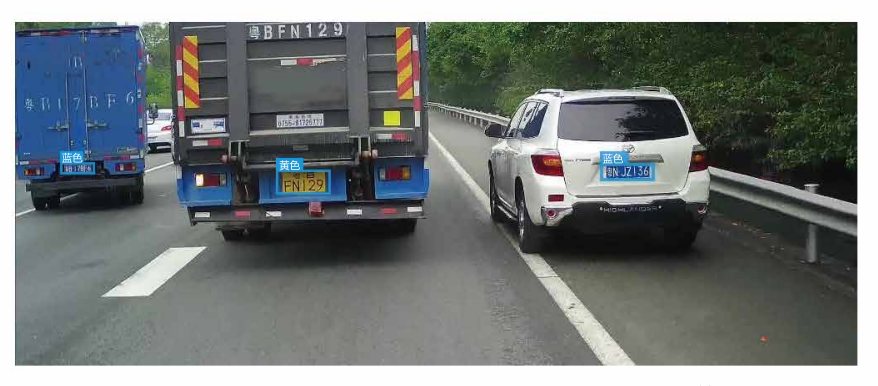
Supported license plate types: supports Chinese license plate recognition, including: ordinary blue license plates, ordinary yellow license plates, new energy license plates, etc., as shown in Figure 4 below

Figure 4
5、Main Product Functions
A、License plate detection: detect the license plate position
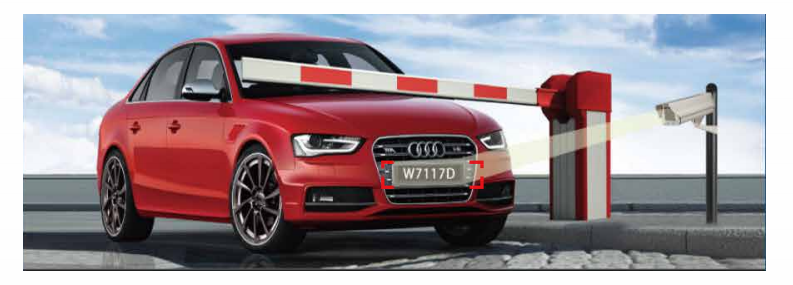
B、License plate recognition: recognize the numbers and letters of the license plate
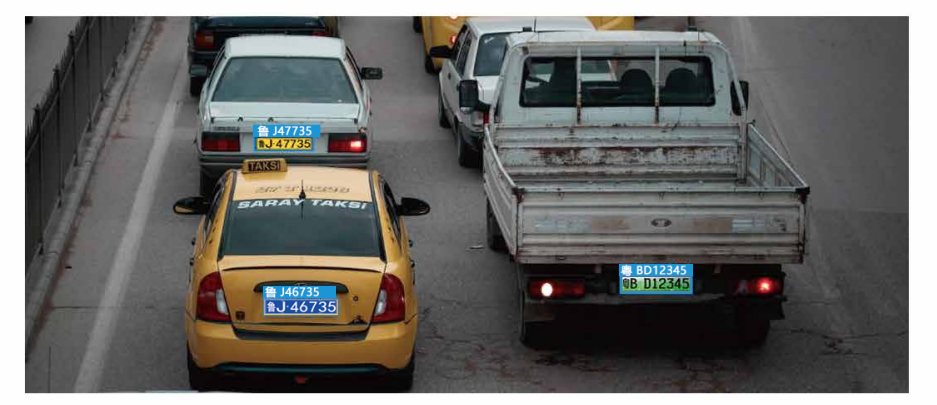
C、License plate color recognition: recognize whether the license plate is blue, green, yellow, etc.
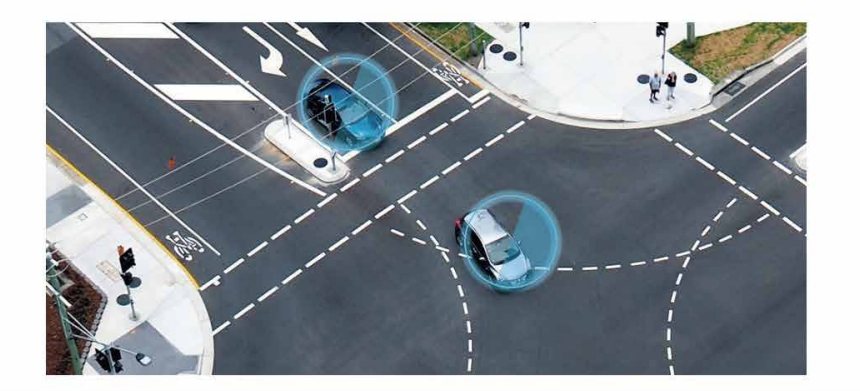
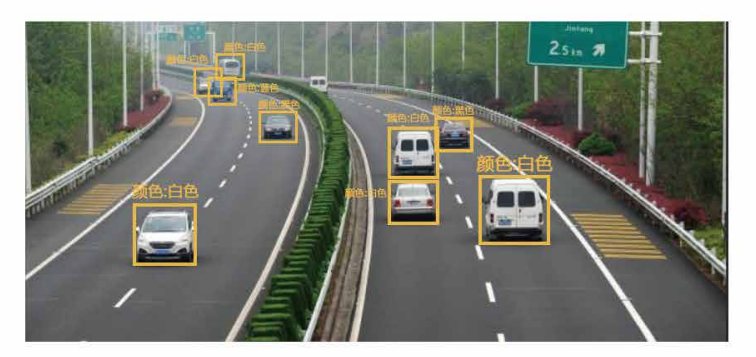
D、Vehicle detection: detect the vehicle position
E、Vehicle type recognition: recognize the type of vehicle, such as sedan, truck, van, school bus, etc.
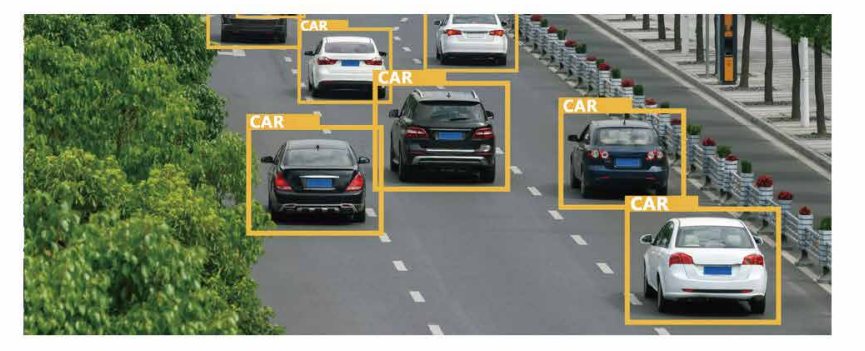
F、Vehicle color recognition: recognize the body color of the vehicle, such as a black car or a white car
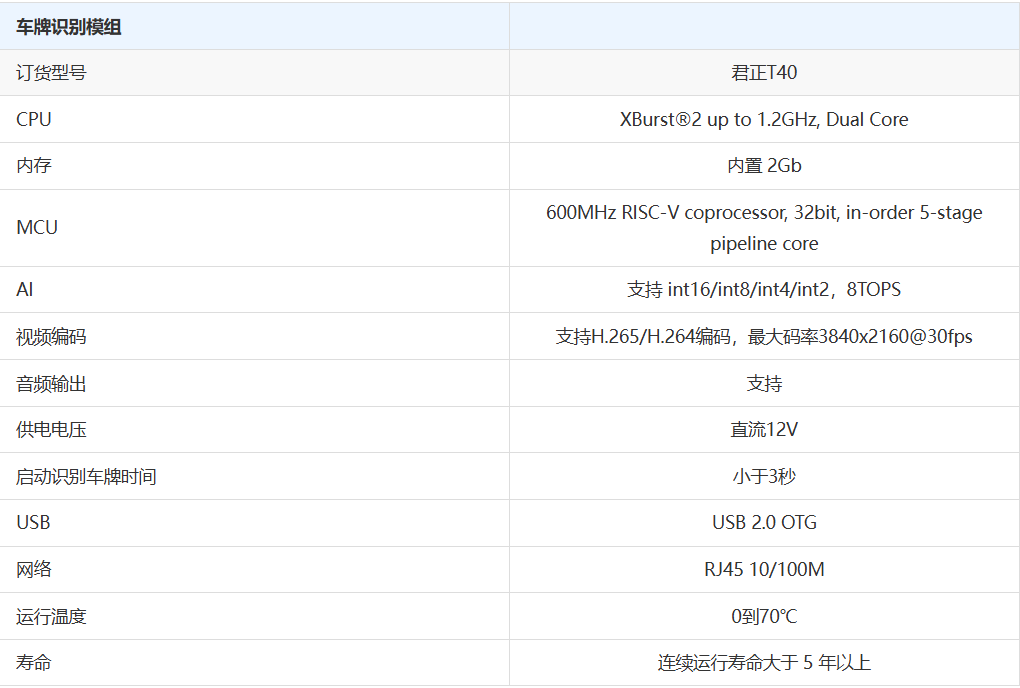
6、License Plate Module Specification Table
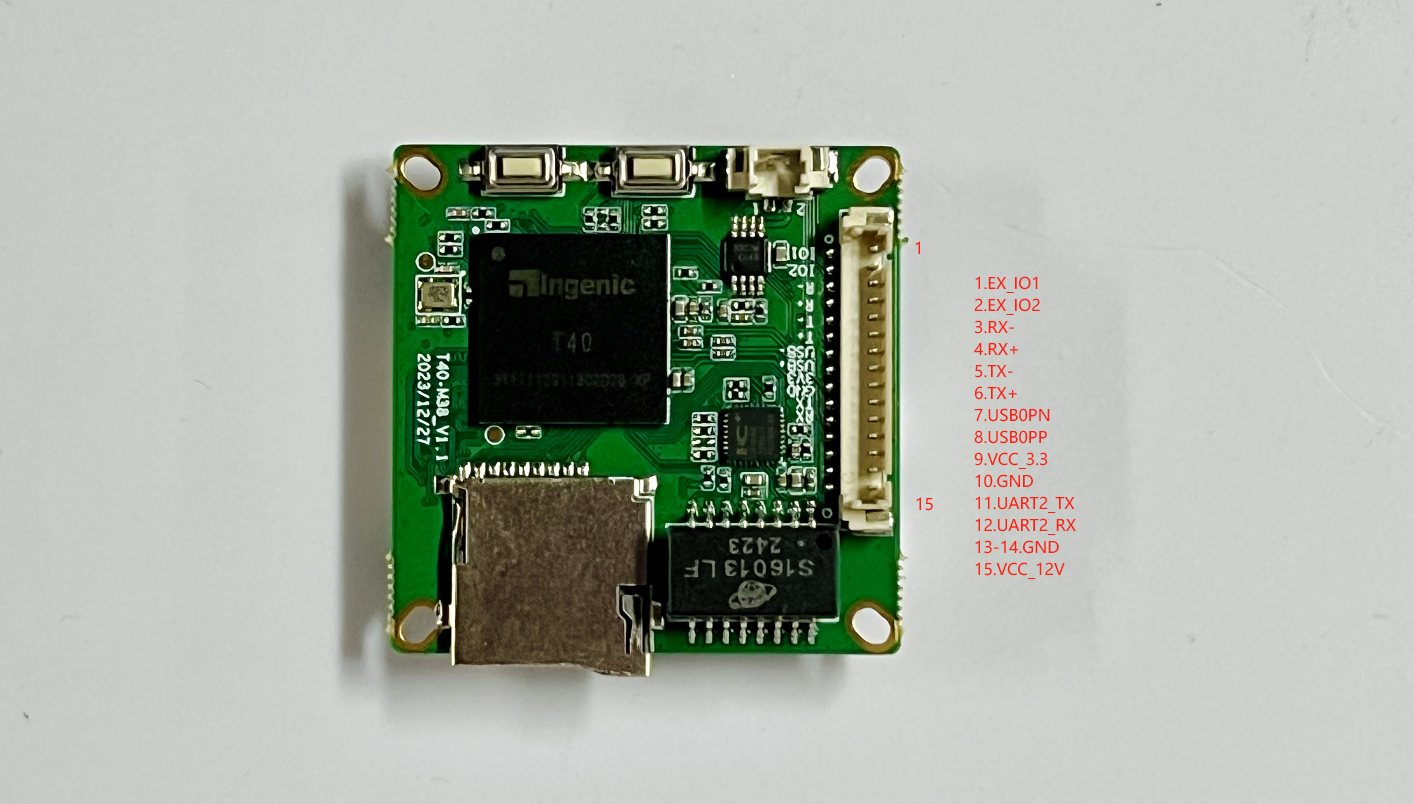
7、License Plate Recognition Module Wiring Diagram
8、License Plate Recognition Module Interface Dimension Drawing
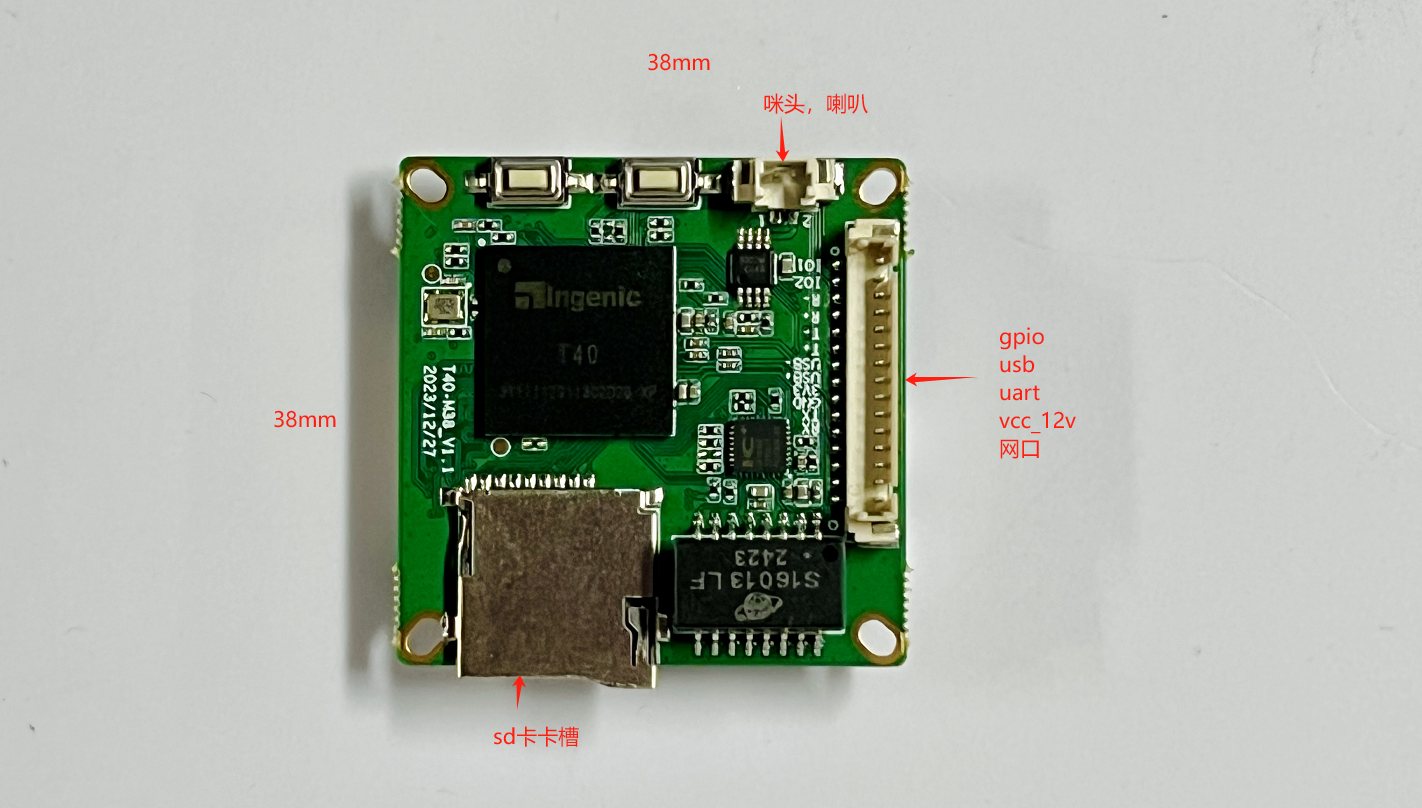
Industry standard 38x38 size, adapted to various camera housings, easy to integrate into your own products
9、 Recognition Flow Chart
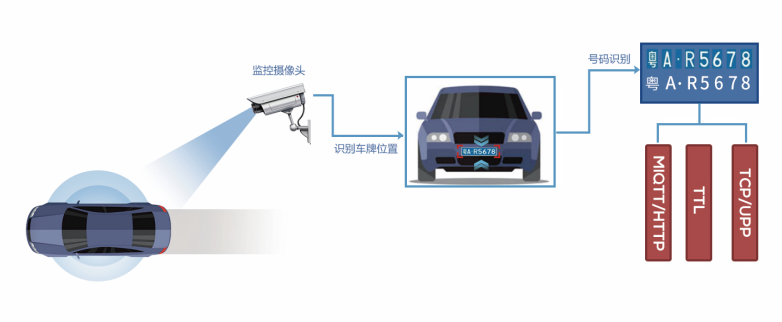
10、License Plate Recognition Camera Operation Demo
- Connect two serial cables as shown below. One serial cable is used to connect to the serial port tool on the computer to view the print log when the program is running, and the other serial cable is used to connect to the serial port tool on the computer to view the license plate information output after recognition. After a license plate is recognized, it is transmitted through the serial port protocol by default. If you need to use another transmission method, please contact our sales team.
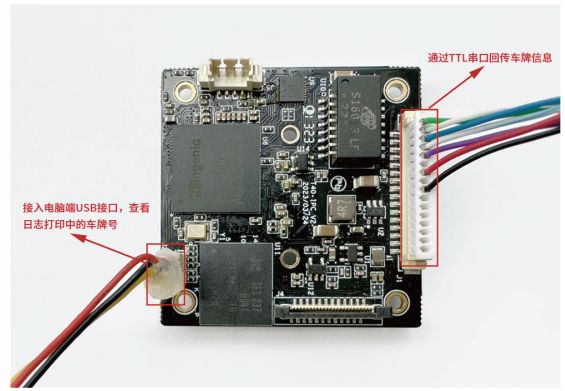
- Connect the camera to a 12V DC power supply and a network cable, and open the serial port tool
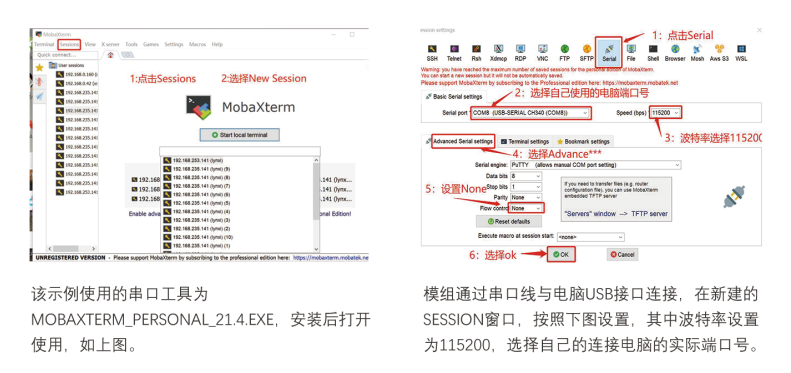
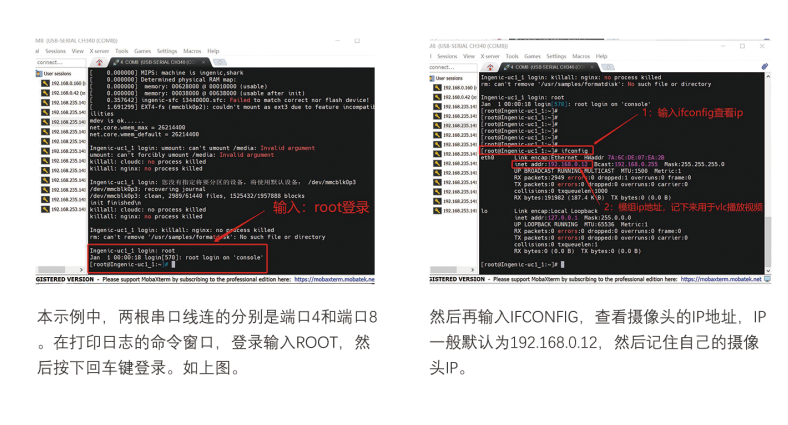
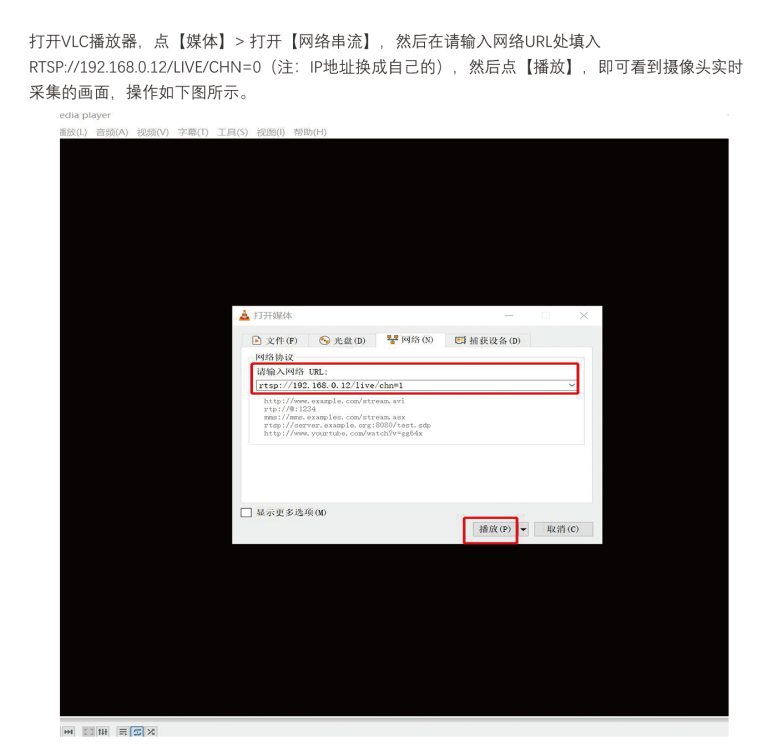
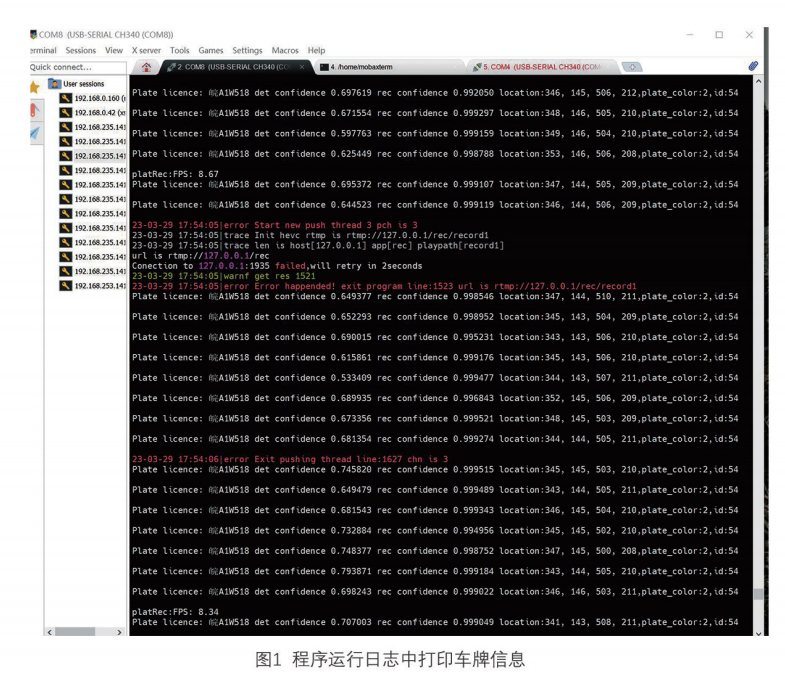
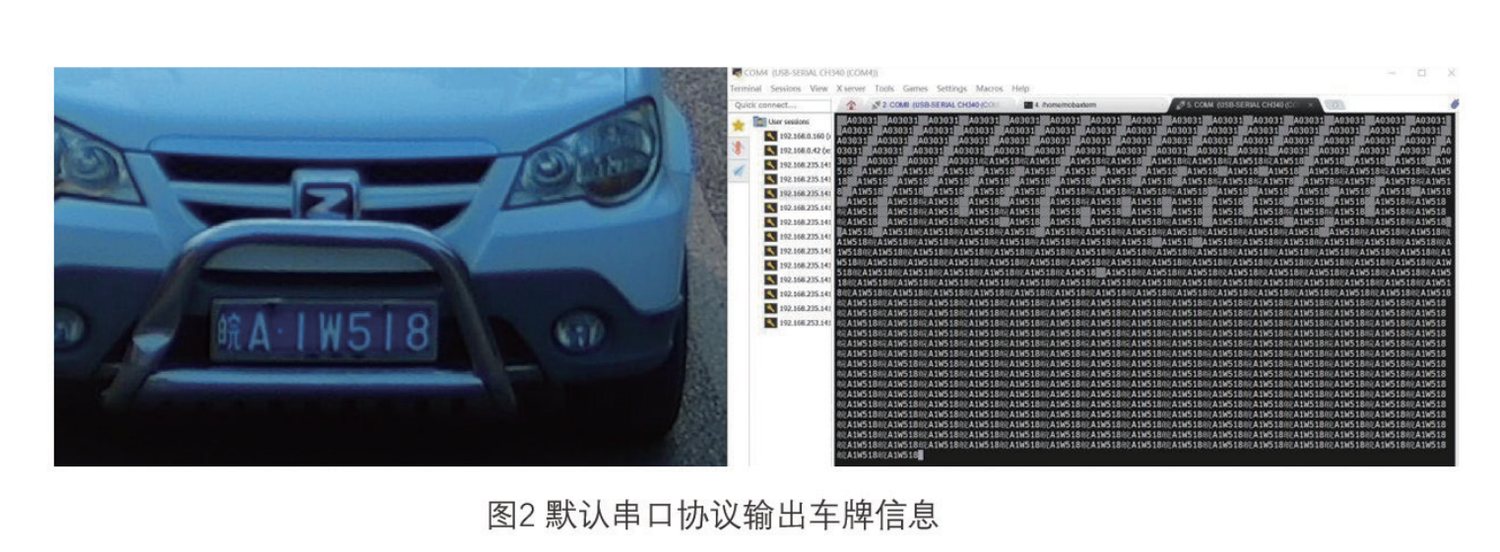
- Open any relatively clear picture of a Chinese license plate on the computer, then point the camera at the computer screen and adjust the position of the camera through the image played by VLC, so that the vehicle and license plate can be clearly seen by the human eye in the VLC image. Then observe the printout in the two serial port windows of the serial port tool. One window prints the program log information, and the other window prints the license plate information transmitted by the serial port. The effect of this demo is shown in the two pictures below:
11、TCP Serial Port Passthrough to Server
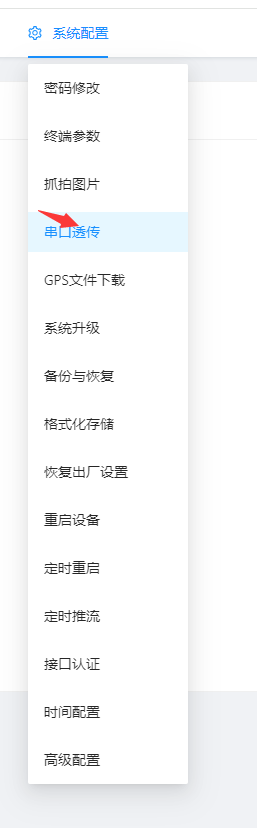
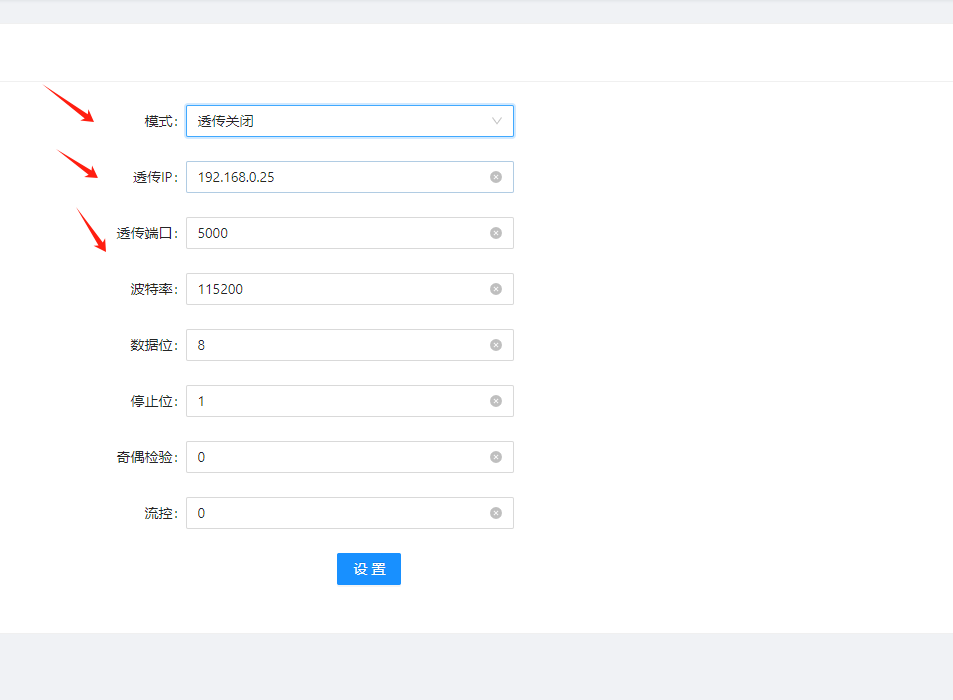
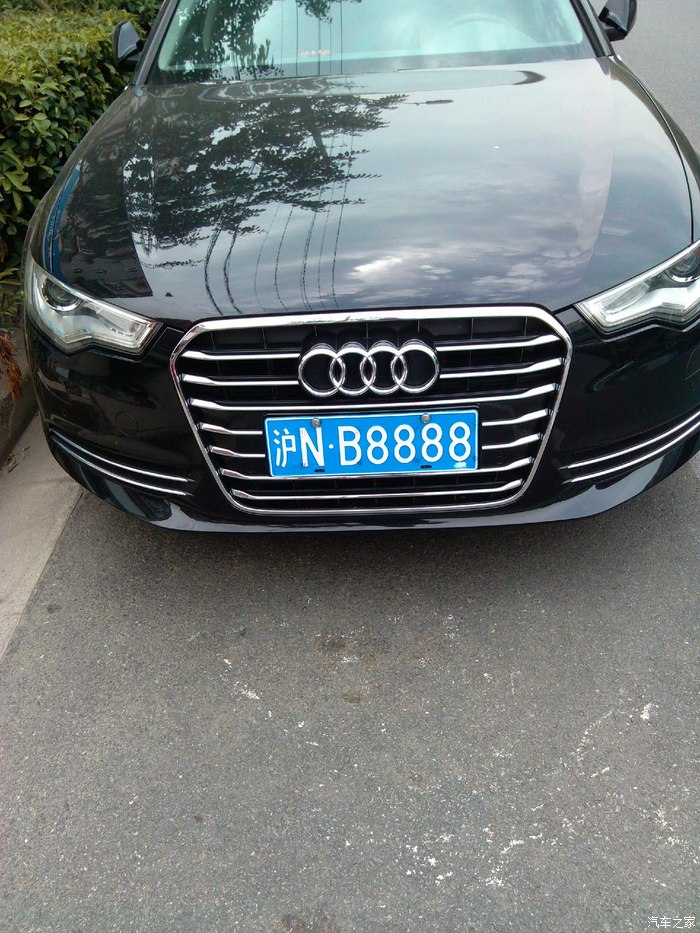
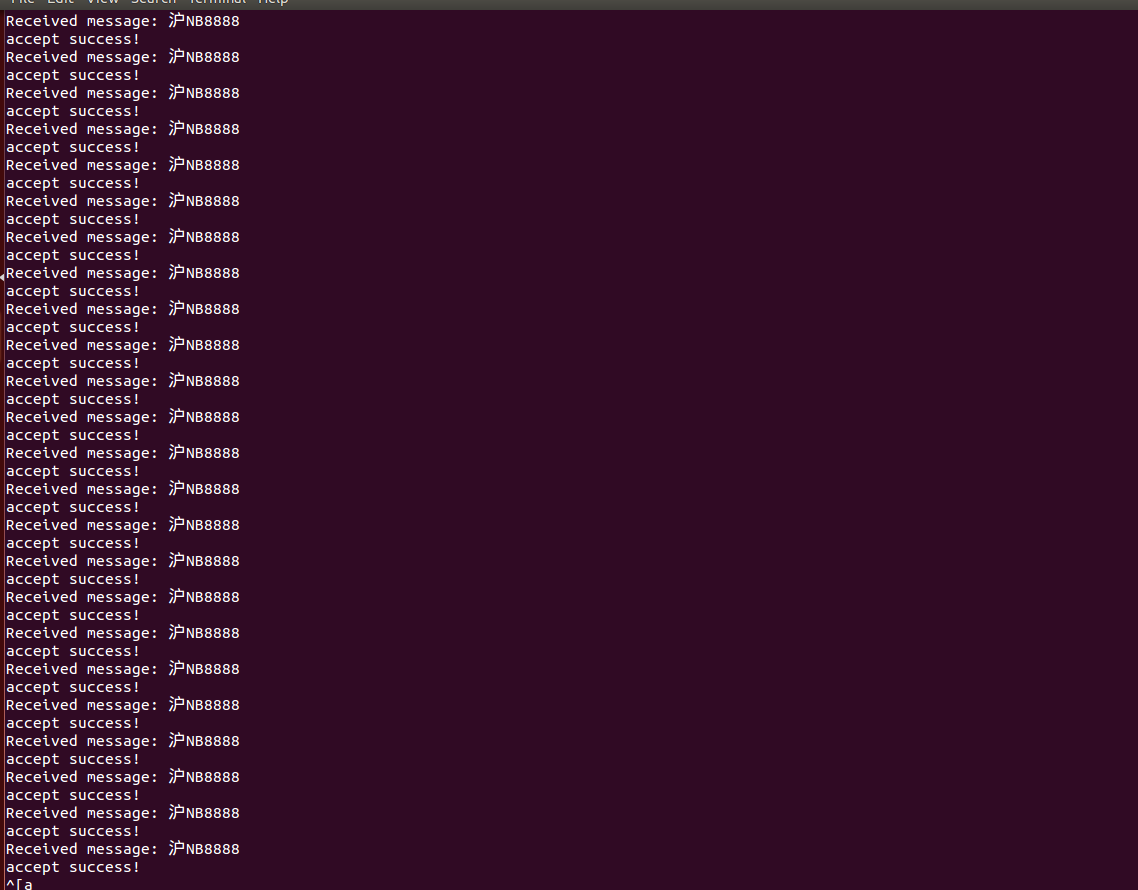
Write a server program, start the server, power on the board, find the system configuration page through the IP, select serial port passthrough, set the mode to client, server IP and server port number, and then the license plate number can be transmitted to the server each time a license plate is scanned.
The server code is as follows:
#include <stdio.h>
#include <stdlib.h>
#include <string.h>
#include <unistd.h>
#include <sys/socket.h>
#include <netinet/in.h>

#define PORT 8080
#define BACKLOG 10

int main() {
    int server_fd, new_socket;
    struct sockaddr_in address;
    int opt = 1;
    int addrlen = sizeof(address);
    char buffer[1024] = {0};
    long valread;

    // Create socket file descriptor
    if ((server_fd = socket(AF_INET, SOCK_STREAM , 0)) == 0) {
        perror("socket failed");
        exit(EXIT_FAILURE);
    }

    // Bind socket to address and port
    address.sin_family = AF_INET;
    address.sin_addr.s_addr = INADDR_ANY;
    address.sin_port = htons(PORT);

    // Bind socket and address
    if (bind(server_fd, (struct sockaddr *)&address, sizeof(address)) < 0) {
        perror("bind failed");
        exit(EXIT_FAILURE);
    }

    // Listen on socket
    if (listen(server_fd, BACKLOG) < 0) {
        perror("listen");
        exit(EXIT_FAILURE);
    }

    // Infinite loop to accept connections
    while (1) {
        // Accept connection
        if ((new_socket = accept(server_fd, (struct sockaddr *)&address, (socklen_t*)&addrlen)) < 0) {
            perror("accept");
            exit(EXIT_FAILURE);
        }
    printf("accept success!\n");
        // Receive data
        valread = read(new_socket, buffer, 1024);
        if (valread < 0) {
            perror("read error");
            exit(EXIT_FAILURE);
        }

        printf("Received message: %s\n", buffer);

        // Send data
        if (send(new_socket, "Hello, Client", 14, 0) < 0) {
            perror("send");
            exit(EXIT_FAILURE);
        }

        // Close socket
        close(new_socket);
    }

    // Close listening socket
    close(server_fd);
    return 0;
}
12、Capture and Upload After Recognizing a License Plate
When the program recognizes a license plate, it will perform the capture function and upload it. The image is captured, and the image can be viewed through an HTTP command. The viewing path is for example: http://192.168.0.68/tmp/car_snap.jpg. The upload function is set as follows:
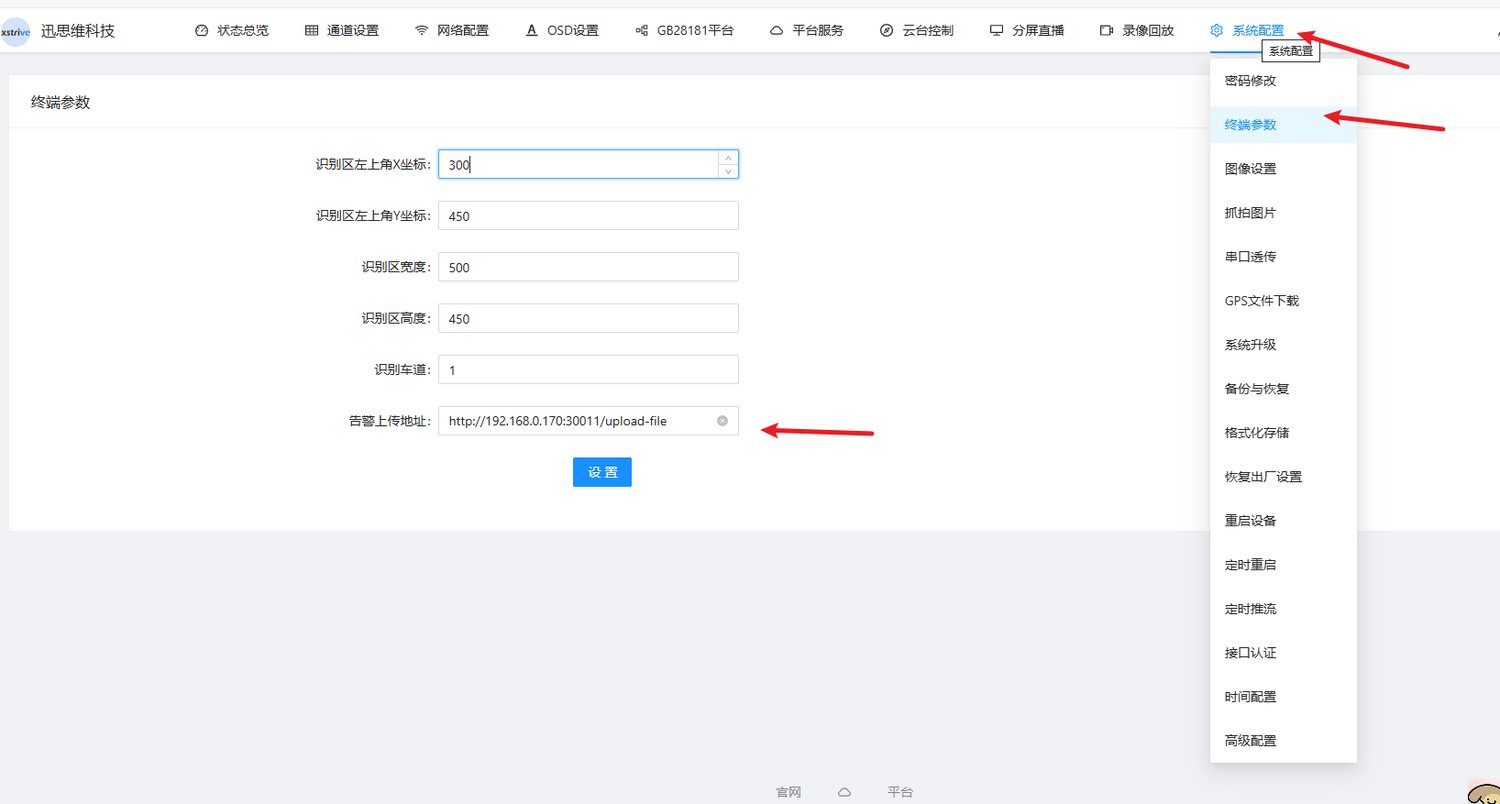
After setting the alarm path and saving, each recognized license plate photo will be uploaded to the corresponding path in the format of time_license plate number.jpg, for example http://192.168.0.103:3002/upload-file
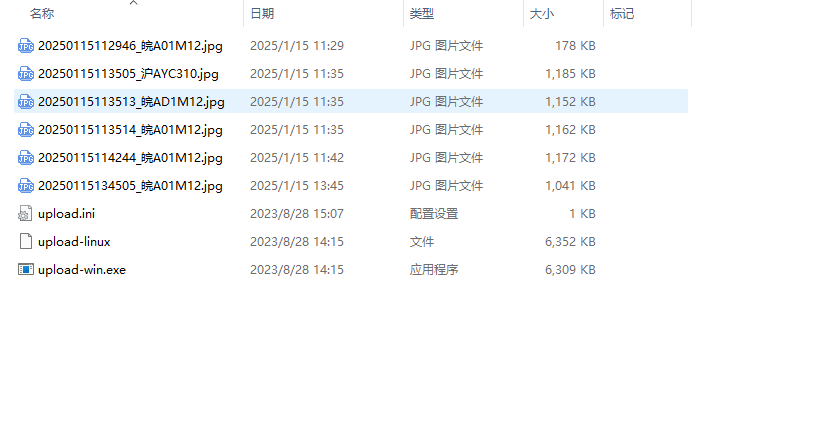
The upload test command is:
curl --max-time 4 -C - -F \"actType=uploadMedia\" -F \"filedata=@/tmp/car_snap.jpg\" http://192.168.0.103:3002/upload-file > /tmp/curl_result
The upload server test tool is as follows:
Downloads附件

13、Serial Port Transmission of License Plate Information After Capture
Connect interfaces 13, 12 and 11 as shown in Figure 1 to a USB-to-TTL converter. Connect the TX of the board to the RX of the converter, the TX of the board to the RX of the converter, and the GND of the board to the GND of the converter. After connecting the converter to the computer, open the serial port debugger and configure it as shown in Figure 2. When the camera scans a license plate, it will send a serial port message. The message content is FE license plate FD, for example FE E9 84 82 46 51 43 36 35 32 FD
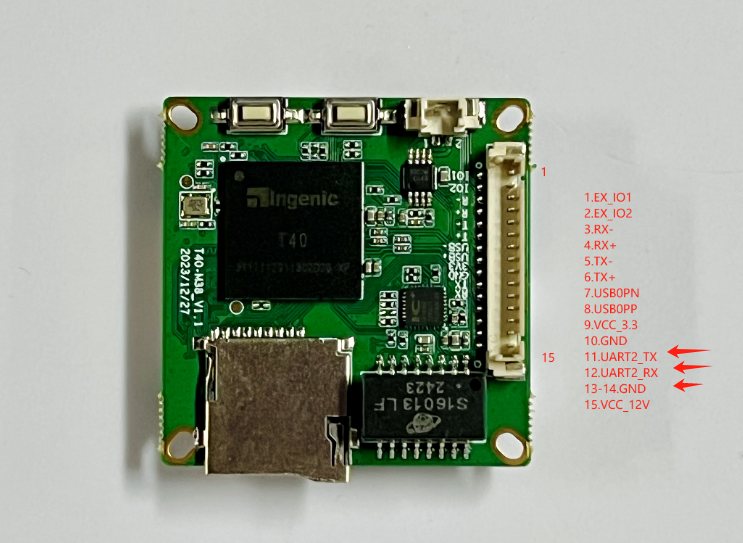
Figure 1
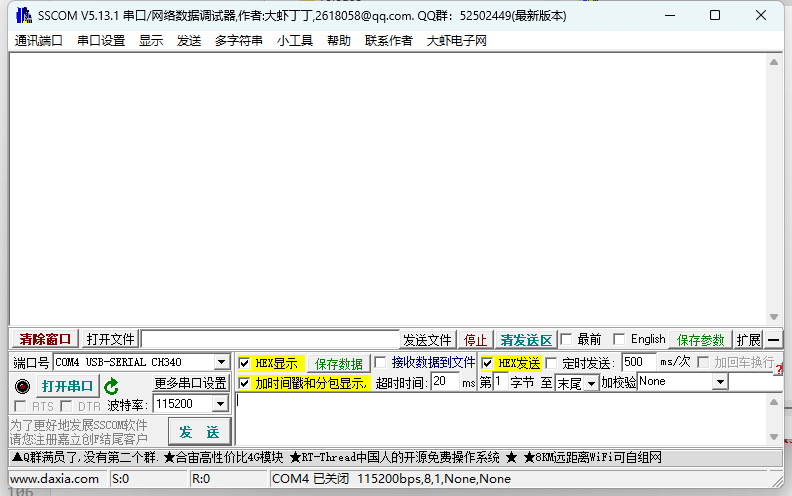
Figure 2
VLC download URL: https://www.videolan.org/
Serial port tool download link: http://xstrive.tpddns.cn:5000/share.cgi?ssid=69d0d15522d946d9bc4264789a223ab1