Home / Docs Center / Device API Reference / Generic Event Image Upload
Generic Event Image Upload
Project: Device Interface Document (New Version) | page_id: 999
[TOC]
Brief Description
- General event file upload address
Request URL
[http://xxx.com/api/event/upload](http://xxx.com/api/event/upload`)
Request Method
- POST
Supported URL Parameters
For example: http://xxx.com/api/event/upload ?userValue1=a&userValue2=b
Where userValue1 and userValue2 are configured parameters, which are carried automatically when uploading.
- The built-in parameters do not participate in token calculation
URL Fixed Parameters
| Parameter Name | Required | Type | Description |
|---|---|---|---|
| id | Yes | string | Device serial number |
| timeSeconds | Yes | number | Current device time in seconds |
| alarmTime | Yes | string | Event trigger time "2006-01-02 15:04:05" |
| alarmType | Yes | string | Event type |
| token | Yes | string | Signature string |
Body form-data Parameters
Content-Type: multipart/form-data
Content-Disposition: form-data; name="filename"; filename="xxxxxx.jpg"
Content-Disposition: form-data; name="filename2"; filename="xxxxxx.jpg"
| Parameter Name | Required | Type | Description |
|---|---|---|---|
| filename | Yes | file | File 1 |
| filename2 | No | file | File 2 |
Return
statusCode == 200 means success
Test Server Download Windows Version
Upload Configuration Description
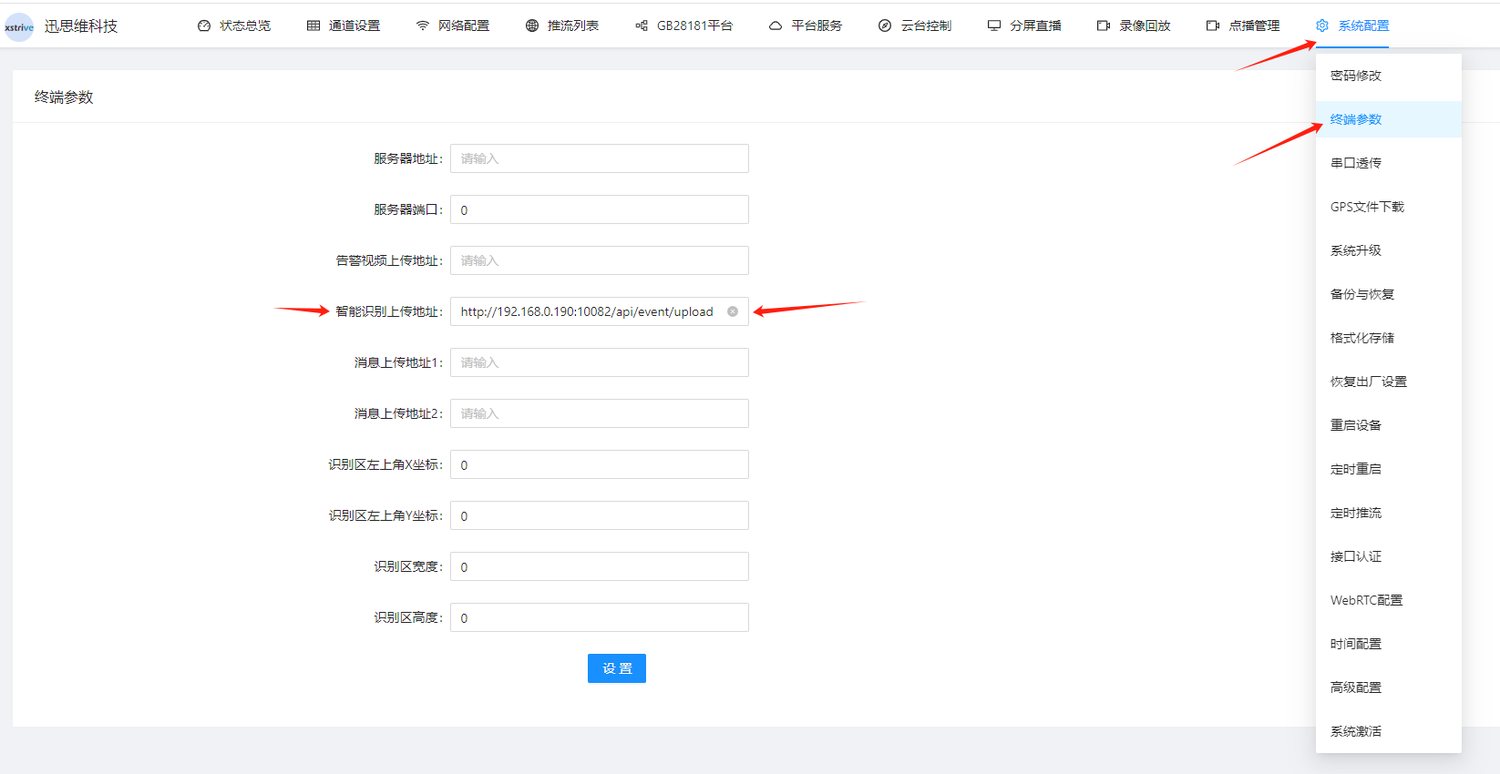
Finding the Encrypted Token Signature Key
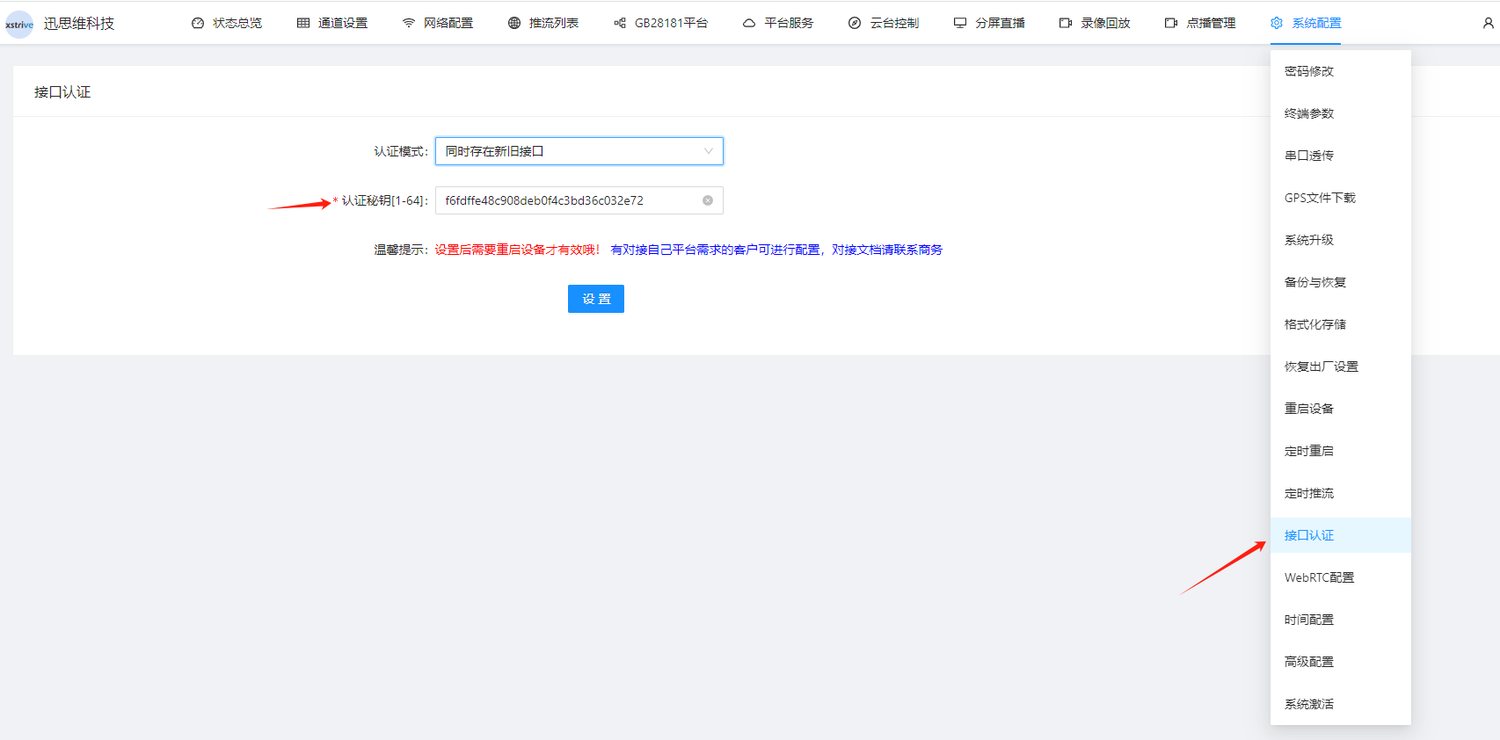
Signature Calculation and Verification Method
import md5 from "js-md5";
const mySecret = "f6fdffe48c908deb0f4c3bd36c032e72"
export const md5Params = (params) => {
  let str = "";
  let keys = Object.keys(params);
  keys.push("secret");
  keys = keys.sort(); // Sort the parameter keys
  keys.forEach((key: string) => {
    if (key == "token") {
      return;
    }
    if (str != "") {
      str += "&";
    }
    if (key == "secret") {
      str += `${key}=${mySecret}`;
    } else {
      str += `${key}=${params[key]}`;
    }
  });
  params.token = md5(str);
  console.log("md5: ", str, params.token)
  return params;
};
Notes
- If the upload fails 3 times, it is discarded
Didn't find what you need?Contact us,Talk to our engineers directly.